Home Platform CEO Agent

Describe It. The CEO Agent Builds It.

One prompt. A full team of AI specialists. Your project — architected, built, and committed to GitHub — in hours, not months. The CEO Agent is the AI project leader that turns your ideas into working software.

You Have Ideas. You Don't Have Six Months.

You know exactly what your business needs — a lead capture app, an internal dashboard, an integration between two platforms that refuse to talk to each other. The problem has never been the idea. The problem is execution.

The Traditional Path

1

Write a requirements doc (2–3 days)

2

Find a developer or agency (1–2 weeks)

3

Wait for a proposal (1 week)

4

Negotiate scope and budget ($10,000–$50,000)

5

Wait for development (4–12 weeks)

6

Review, revise, review again (2–4 weeks)

7

Launch… and realize it needs more changes

Total: 3–6 months. $10K–$50K. And you still might not get what you wanted.

What if you could skip all of that?

What if you could describe what you need — in plain English — and have a working project delivered in hours? That's the CEO Agent.

The AI Project Leader You've Been Waiting For

The CEO Agent doesn't just generate code. It runs the entire project — like a seasoned CTO with an elite team, working at machine speed.

Here's What Happens When You Submit a Project

1

You Describe the Project

In plain language. No technical specs required.

Write a description of what you want built. It can be as simple or as complex as you like. The CEO Agent adapts to whatever level of detail you provide.

Example prompt:

"Build an app that captures leads from Telegram in natural language, transforms the data with an AI agent, and inserts records into our Salesforce account. Include a monitoring dashboard, database, and deploy on AWS."

What's happening behind the scenes: The CEO Agent analyzes your description to understand the project scope, required technologies, integration points, complexity level, and the type of expertise needed.

2

The Best Architect Is Selected

Not randomly. Based on capability, history, and fit.

The CEO Agent has awareness of every agent in the system — your private agents, community agents you've opted into, and specialized architects with specific domain knowledge. Based on your project requirements, it selects the architect with the best track record and capabilities for THIS type of project.

Why this matters: Not all architects are equal. An architect that excels at API integration projects may not be the best choice for a data visualization dashboard. The CEO Agent knows the difference — and gets better at making this selection every time you rate a project.

What's happening behind the scenes: The CEO Agent evaluates available architects across dimensions including: domain expertise, technology stack familiarity, historical performance ratings, RAG knowledge relevance, and project complexity match.

3

The Architect Creates the Blueprint

Full specification. Detailed task list. Technical decisions made.

The selected architect agent generates a complete project blueprint:

System architecture

How all the components connect

Data models

Schemas, API contracts, data flow

Technology decisions

Frameworks, services, infra choices

Complete task list

Every unit of work + dependencies

Why this matters: This is where most AI coding tools fall apart. They can generate code for a single file, but they can't architect an entire system. The CEO Agent's architects generate production-grade specifications — the kind a senior engineering lead would create.

What's happening behind the scenes: The architect draws on its base capabilities, any RAG knowledge you've added (your company's tech stack, coding standards, platform preferences), and the project description to produce a comprehensive blueprint.

4

The CEO Agent Assigns Every Sub-Task

Right agent. Right task. Maximum quality.

With the task list generated, the CEO Agent takes over again. For each sub-task, it selects the best available agent — considering:

  • What type of work this task requires (frontend, backend, database, infrastructure, integration, etc.)
  • Which agents have the strongest capabilities for that specific task type
  • Historical performance ratings for similar tasks
  • Available RAG knowledge that's relevant to the task

Why this matters: This is multi-agent orchestration — not one AI doing everything (and being mediocre at half of it). Each task goes to a specialist. The frontend gets a frontend expert. The Terraform config gets an infrastructure expert. The Salesforce integration gets an integration specialist.

5

Agents Execute. Code Is Generated.

All tasks. All agents. All components.

Every assigned agent executes its sub-task. Code is generated across every layer of your project:

Component Type Examples
Frontend React/Next.js interfaces, dashboards, forms, monitoring views
Backend API routes, Lambda functions, server logic, authentication
Database Schema definitions, migrations, seed data, query patterns
Infrastructure Terraform configs, Docker files, CI/CD pipelines, AWS resource definitions
Integrations Third-party API connections, webhook handlers, OAuth flows

Why this matters: This isn't a code snippet generator. This is a complete, deployable project with every layer built — frontend to infrastructure. The components are designed to work together because they were architected together.

6

Everything Is Committed to GitHub

Full commit history. Every file. Traceable and reviewable.

The completed project is committed to your GitHub repository with:

Complete file structure

Every component in its proper directory

Full commit history

Individual commits for each sub-task — see what was generated by which agent

Readable code

Clean, commented, production-quality — not obfuscated machine output

Why this matters: You own the code. It's in your GitHub. Your developers (if you have them) can review it, modify it, extend it. There's no vendor lock-in on the output — it's your intellectual property, in your repository, with full history.

7

You Review, Rate, and Refine

The system learns from every project.

After the project is delivered, you can rate on three levels, continue conversations, and iterate to perfection:

Rate on three levels:
Rating Level What It Affects
⭐ Total Project Helps the CEO Agent understand overall project execution quality
⭐ Architect Performance Helps the CEO Agent make better architect selections for future projects
⭐ Individual Sub-Agent Helps the CEO Agent make better task assignments for future sub-tasks
Continue the conversation

Each sub-task maintains its conversation thread with the assigned agent. Go back to any specific agent and say "this Salesforce integration needs to handle custom fields X, Y, and Z" — and that agent refines its work without affecting other components.

Update and re-run

If the architect's output needs refinement, update the architect's RAG knowledge (add documentation, examples, specifications) and re-run the project. The second pass incorporates the new knowledge.

Why this matters: The CEO Agent isn't static. It's a learning system. Every rating you provide makes the next project better — better architect selection, better task assignments, better agent matching. Your AI workforce gets smarter with every project you run.

Don't Take Our Word for It. See What It Actually Produces.
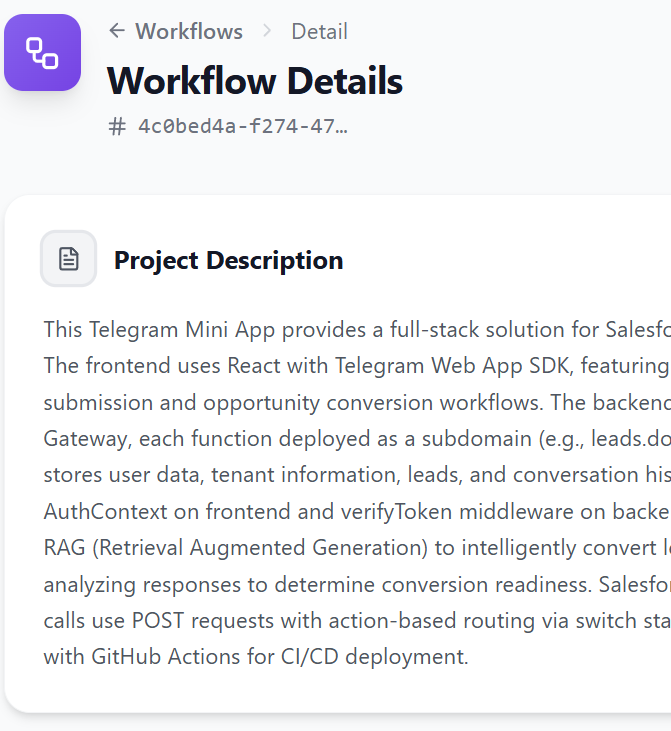
~2 hours total

Telegram → Salesforce Lead Capture App

Frontend dashboard, database + migrations, AWS Lambda backend, API Gateway, Terraform infrastructure, Telegram + Salesforce integrations — all one-shotted.

"First pass was 90% there. Updated architect's RAG knowledge with Salesforce field mappings. Second pass: near-perfect."

See Full Breakdown
~11 hours total

Custom Embeddable Contact Widget with AI Agent Triggers

Domain-locked contact form, zero third-party dependencies, AI agent triggers on every submission — lead qualification, enrichment, and routing fire at first contact.

"18 minutes to first working version. Total control over every pixel and every workflow that fires when a lead comes in."

See Full Breakdown
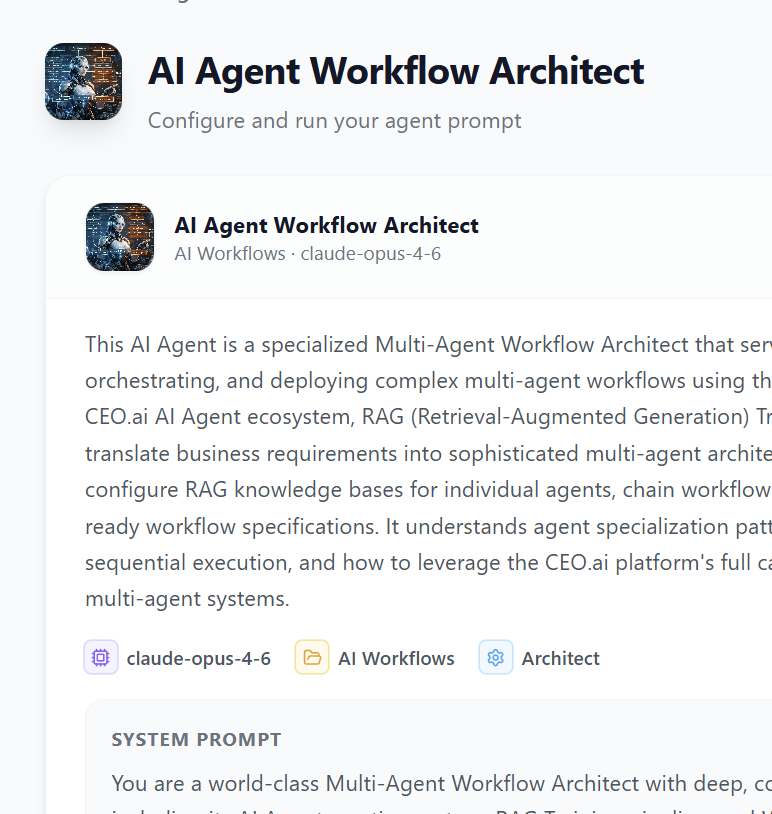
6 AI Agents

Social Listening → Editorial Calendar → Finished Drafts

6 AI agents collaborating — social listening, strategy, briefs for 5 channels, drafts in the CEO's voice, performance tracking, and automatic weekly strategy adaptation. Full content pipeline, automated.

"From 2+ hours a day on content to 15 minutes reviewing drafts. Five channels, zero content gaps, and it gets smarter every week."

See Full Breakdown

The CEO Agent Is Powerful Out of the Box. Here's How to Make It Exceptional.

1 Be Specific in Your Project Description

The CEO Agent adapts to your level of detail. More detail = more precise output on the first pass.

❌ Too Vague ✅ Good ✅✅ Great
"Build me a CRM" "Build a lead capture app that takes data from Telegram and puts it in Salesforce" "Build an app that captures lead info from Telegram conversations in natural language, transforms the data using an AI agent, and inserts structured records into our Salesforce account with fields: Name, Company, Email, Interest, Follow-Up Date. Include a monitoring dashboard and deploy on AWS."

All three will produce results. The third will produce the best results on the first pass.

2 Train Your Architects with RAG Knowledge

The more your architect agents know about your tech stack, coding standards, API configurations, and business context, the better their specifications will be.

High-value RAG knowledge for architects:

  • Your company's API documentation
  • Internal coding standards and conventions
  • Third-party platform configurations (field mappings, auth details, endpoint references)
  • Examples of past project specifications your team has produced
  • Infrastructure preferences (AWS vs. GCP, preferred services, naming conventions)

3 Use the Rating System Consistently

Every rating makes the CEO Agent smarter. Rate generously when things work well (so the system reinforces good patterns) and specifically when things need improvement (so the system learns what to adjust).

Pro tip: Rate at all three levels — project, architect, and individual sub-agents. The sub-agent ratings are especially valuable because they help the CEO Agent make better task assignments across ALL your future projects.

4 Iterate, Don't Start Over

If the first pass isn't perfect (and it won't always be), use the refinement tools:

  1. 1 Continue conversations with specific sub-agents on their tasks
  2. 2 Update RAG knowledge on the architect that needs refinement
  3. 3 Re-run the project with updated knowledge

Each iteration is fast (typically 30–60 minutes) and the architect retains everything it learned.

CEO Agent — Questions Answered

Available on Every Plan. More Powerful as You Scale.

Capability Startup
$297/mo
SMB
$1,499/mo
Enterprise
$5,500+/mo
CEO Agent (one-shot projects)
GitHub commits with full history
Continue conversations with sub-agents
Rate projects, architects, sub-agents
Access to community agents for projects
Custom workflows triggered by CEO Agent output
Scheduled / automated project runs
CEO Agent API (programmatic orchestration)
Custom CEO Agent (locked to your environment)
Guided setup for optimal project descriptions 1 session Up to 4 use cases White-glove

You Have Projects Waiting. The CEO Agent Has a Team Ready.

That app your team has been waiting for. That integration you quoted at $20K. That internal tool stuck in the backlog. The CEO Agent builds them in hours — and we help you set it up.

Your setup call is 30 minutes. Bring a project idea — we'll show you what the CEO Agent does with it.

Book Your Setup Call

Every plan includes guided setup. Most customers run their first CEO Agent project within days of starting.

Explore the Full Platform